


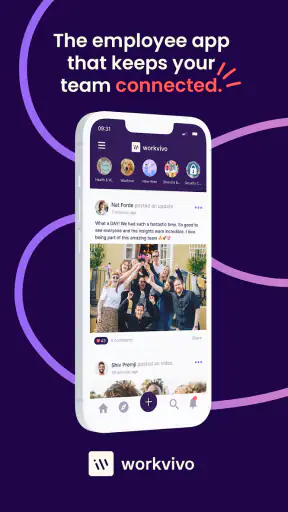


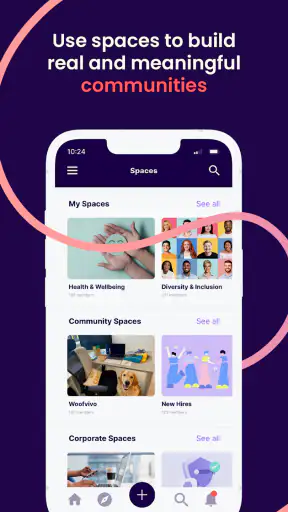
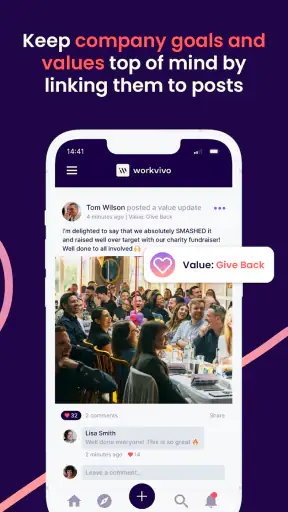

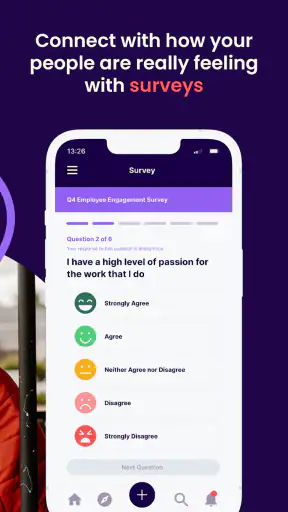
Workvivo is a business app built around employee engagement and internal communication, and I found its value easiest to understand when I stopped treating it like another chat tool. Its purpose is to give a company a shared place for updates, recognition, conversations, and workplace information. That makes it most useful when people need to feel connected across offices, shifts, departments, or remote locations.
I would recommend it to someone whose workplace already uses Workvivo as part of its internal routine. It is free to download, aimed at Teen users, and developed by Workvivo. The app has been available since December 8, 2017, and its current version is 7.769. Those details matter less than the practical question: does it make company communication easier to follow without becoming another noisy feed?
How Workvivo feels in everyday use
My first impression is that Workvivo makes more sense as a company community than as a replacement for every business tool. A team chat is usually built around immediate replies, while email is better for formal messages and searchable records. Workvivo sits between those habits. It can make internal news feel more visible and social, especially for employees who rarely meet in person.
The strongest use case is a distributed workplace. Imagine starting a shift and seeing a message from management, a welcome post for a new colleague, a recognition note from another department, and an update about a company event in one place. That kind of visibility can be helpful, but only if the organization has agreed on what belongs in the feed. Without that discipline, an employee engagement platform can quickly feel like a stream of announcements competing for attention.
I also think the app works best when communication has a human side. Recognition, informal updates, and shared milestones are easier to notice in a community-style environment than in a long email chain. The trade-off is that important operational information should not be buried among celebratory posts. Companies using Workvivo need clear habits for urgent notices, permanent documentation, and conversations that require a fast response.
Speed expectations before you depend on it
For normal browsing, I would expect Workvivo to feel most comfortable on a reasonably current device with a dependable connection. The app is not something I would choose because it performs a complex calculation or replaces a full desktop business system. Its perceived speed depends heavily on the amount of workplace content being loaded, the quality of the connection, and how actively the organization uses the platform.
That distinction is important. A small company with a focused internal feed may feel quick and easy to scan. A large organization with many departments, frequent posts, media-heavy updates, and active discussions can create a busier experience. Even when the application itself is responsive, a crowded stream takes longer to understand. In practice, perceived performance is not only about tapping speed; it is also about how quickly I can find the one update that matters.
I would keep notifications selective from the beginning. If every conversation produces an alert, the app can become distracting rather than helpful. A better approach is to reserve immediate attention for direct interactions or genuinely relevant workplace areas, then check broader community updates at a convenient time. This is a small habit, but it has a major effect on whether the app feels lightweight or demanding.
What happens during heavy-use moments
The busiest moments are likely to be company-wide announcements, internal campaigns, event updates, or periods when many employees are reacting at once. These are precisely the situations where Workvivo has the most social value, but they are also the moments when a feed can become difficult to navigate. A post may be important because of its author, its subject, or the discussion below it, yet those signals can compete with newer activity.
My practical advice is to avoid using the main feed as the only place for information that people must act on. If a deadline, procedure, or policy matters, the organization should make the required action unmistakable and provide a stable route back to the details. Workvivo can support awareness and participation, but a lively stream is not automatically a reliable filing cabinet.
There is another subtle trade-off during busy periods: social interaction can improve engagement while also increasing reading time. A quick announcement may attract comments, reactions, and follow-up questions. That is good for participation, but employees may need a simple way to distinguish discussion from instruction. I would encourage teams to write the action first, then add context and conversation, rather than making readers search through a friendly introduction to discover what they need to do.
Reliability and recovering from interruptions
For a business communication app, reliability is more than staying open. I care about whether I can return to a conversation after being interrupted, understand what changed, and avoid missing an important message. Workvivo is most valuable when it becomes a dependable workplace habit, so inconsistent use by the company can be just as damaging as a technical problem.
If I receive an update while commuting, switching between tasks, or working away from a desk, I want to be able to resume without reconstructing the entire context. That is why I would treat notifications as prompts rather than as the complete message. Opening the relevant discussion and checking the surrounding information is safer than relying on a short alert preview.
Recovery also involves human organization. A company should decide who posts official announcements, where questions belong, and how corrections are handled. When those rules are clear, Workvivo can become easier to trust. When every team uses it differently, the same app may feel organized to one employee and confusing to another.
The most important reliability feature is a clear communication routine, not simply a busy activity feed. Workvivo can bring people together, but it cannot decide which message is authoritative or which conversation deserves an immediate response. That responsibility remains with the organization and its managers.
Device constraints and resource awareness
Workvivo supports devices running iOS 9 or later, which gives it a broad compatibility range. Still, compatibility does not guarantee an identical experience on every phone or tablet. Older hardware may be less comfortable when switching between a dense feed, discussions, and other workplace tasks, particularly if the device is already under pressure from several open apps.
I would be cautious about judging the app only from a quick installation. The real resource demand appears during repeated daily use: checking updates, opening conversations, returning after interruptions, and handling a busy stream. If battery life or storage is a concern, I would pay attention to how often I open it and whether notifications are generating unnecessary interruptions. That is useful advice for any communication platform, but it is especially relevant here because the app’s value comes from regular engagement.
Employees with older devices should also consider their workplace’s fallback habits. If the company assumes everyone will see every update immediately on mobile, device limitations become a communication issue. A sensible organization should make critical information accessible through appropriate business channels rather than relying on one app and one type of device.
The Teen content rating may be relevant in mixed-device households or workplaces where personal and professional accounts share a phone. It does not change the app’s business purpose, but it is still worth checking that the person using the device understands which account is active before posting anything intended for colleagues.
Where it fits beside email and team chat
Compared with email, Workvivo feels better suited to visible community participation. Email can be precise and formal, but it often separates employees into long threads and private exchanges. Workvivo’s workplace-feed approach can make recognition and broad updates easier for colleagues to see. The weakness is that a social stream may be less suitable for detailed records, sensitive one-to-one matters, or information that must remain easy to retrieve months later.
Compared with a team chat application, Workvivo is less naturally centered on rapid back-and-forth problem solving. Chat is usually the better choice when a small group needs an immediate answer. Workvivo has more appeal when the goal is to connect the wider organization, share culture, and give employees a common internal space. I would not replace a focused support channel with it unless the company has deliberately designed that workflow.
Compared with an intranet, Workvivo can feel more approachable and active. Traditional intranets are often better for stable reference material, directories, and formal documentation, while a community platform encourages participation. The best arrangement may be complementary: use Workvivo to draw attention to information and help people discuss it, while keeping definitive documents in a system designed for long-term reference.
Three practical habits that improve the experience
First, I would separate reading time from response time. A workplace feed encourages quick reactions, but not every post deserves an immediate answer. Checking the stream at planned points during the day can reduce distraction while preserving awareness. This is particularly helpful for employees who need long periods of concentration.
Second, I would write posts for scanning. Put the subject and required action near the beginning, use a specific audience when possible, and avoid mixing several unrelated announcements into one update. This makes the app feel faster because readers spend less time interpreting what a post is about.
Third, I would use conversations to surface questions, not to hide decisions. If a discussion produces a final answer or a changed process, the responsible team should restate that outcome clearly. Otherwise, useful information can remain trapped in a long thread that new employees will struggle to understand.
A fourth habit is especially useful for remote teams: make recognition specific. Instead of posting a vague compliment, explain what the colleague did and why it helped. That gives the social side of Workvivo more meaning and prevents recognition from becoming empty noise. It also helps employees outside the immediate team understand how different departments contribute.
Who should use it and who should skip it
Workvivo is a strong fit for organizations that want a shared internal community, especially when employees work across locations or do not naturally encounter one another. It can help make company news more visible and give everyday achievements a public place. It is also a reasonable choice for teams that want communication to feel less formal than email without turning every message into a private chat.
I would hesitate to recommend it to a very small team that already communicates efficiently in person or through a focused chat channel. Adding another destination may create more work than value. I would also be cautious if the company needs a specialized project-management system, a formal document repository, or a high-speed incident-response channel. Workvivo may complement those tools, but it should not be treated as a universal replacement.
Employees who dislike social-style workplace communication may find the engagement angle tiring. Some people want a quiet, task-focused channel and may not enjoy seeing recognition posts, cultural updates, or broad company conversations mixed into their workday. That does not make the app ineffective; it simply means adoption depends on giving employees control over what deserves their attention.
Value, adoption, and the final performance verdict
The app has a 4.3 average from around 4.6 thousand ratings and has passed one million installs, which suggests that it has reached a substantial audience beyond a single small workplace. I would read those figures as signs of established interest rather than a guarantee that every company will get the same result. The quality of the experience depends greatly on administration, posting discipline, and whether employees understand why they are being asked to use it.
Workvivo is free to download, but the meaningful value comes from the workplace environment around it. A free app can still cost time if employees must check several overlapping channels or if managers repost the same information everywhere. Before adopting it broadly, I would ask whether it will replace a confusing communication habit or simply add another notification source.
After considering speed, heavy-use moments, reliability, and device limits, my verdict is positive but specific. Workvivo is best as a shared employee-engagement layer: a place that helps people see what is happening across the organization and participate in internal life. It is not the tool I would rely on alone for urgent support, formal records, or detailed project control.
I would recommend trying it when the company is ready to define clear posting rules, notification expectations, and ownership for official updates. With that structure, the app can feel approachable and useful rather than noisy. Without it, even a stable and responsive experience may leave employees wondering where important information belongs.
In my view, Workvivo succeeds when it makes a large or distributed workplace feel more connected without pretending to be every business system at once. If that is the problem you are trying to solve, it is worth considering. If your priority is only fast task coordination or permanent document storage, email, team chat, or a dedicated intranet may still be the better fit.


